
UX & product design
Deep dive
I worked at DLUHC in the Funding Service Design team, responsible for the design of onboarding, applications and assessments of new funds. There was not a single source of managing applications and assessments in central government for DLUHC. After Brexit, the EU took away funding management tools.
I worked on the DLUHC project for almost 12 months, and during this time I led design of various product enhancements and new features for assessment and application tools. I worked with different fund teams such as Community Ownership Fund, NightShelter, High Street Rental Auctions and more. As this was a central government project, there were lots of GDS coded prototypes used before we eventually moved to Figma. Everything was designed following GDS and accessibility best practice as we were preparing for a GDS assessment pre-election.
The assessment tool did not allow assessors to be able to assign work to other assessors, currently this was being tracked outside of the tool, on a variety of MS powered apps, such as teams and Excel. This meant that there was no way of an assessor being automatically notified when they were assigned new work, causing some applications to slip through and not get assessed before the end of the assessment deadline. There was no clear way for an assessor to see what was assigned to them, or what they had assigned to other assessors in the tool.
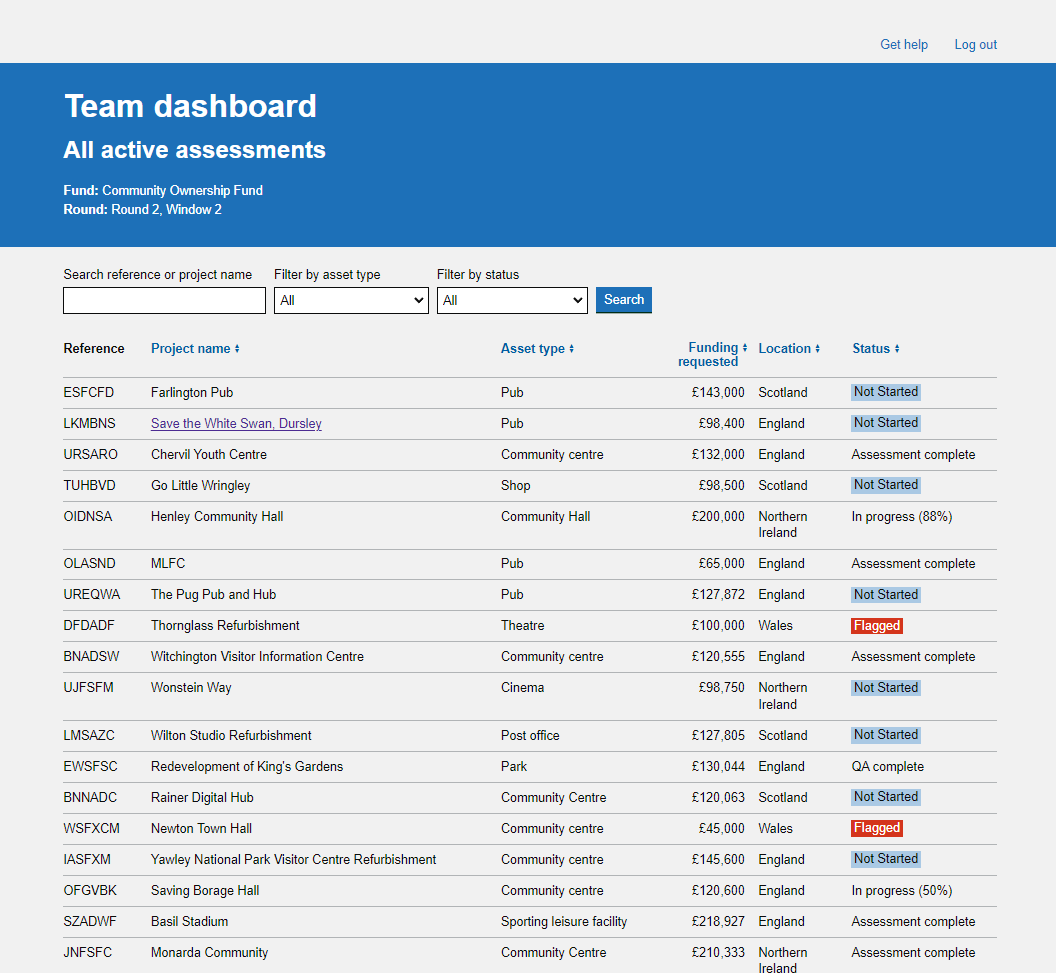
The following work that was designed was the largest piece of work that I had done at DLUHC and completely changed how the assessors would interact with the tool. We already had a lot of findings from previous work that gave us a good idea of what needed to be improved. We also did further observational research sessions to observe any sticking points in the current process as assessors would go through the assessment workflow. There were multiple user pain points that needed to be rectified, in addition to features that were currently missing from the tool. Using content and interactions best practices new designs were ideated and played back to assessors at various stages to refine and shape the designs to the users needs.
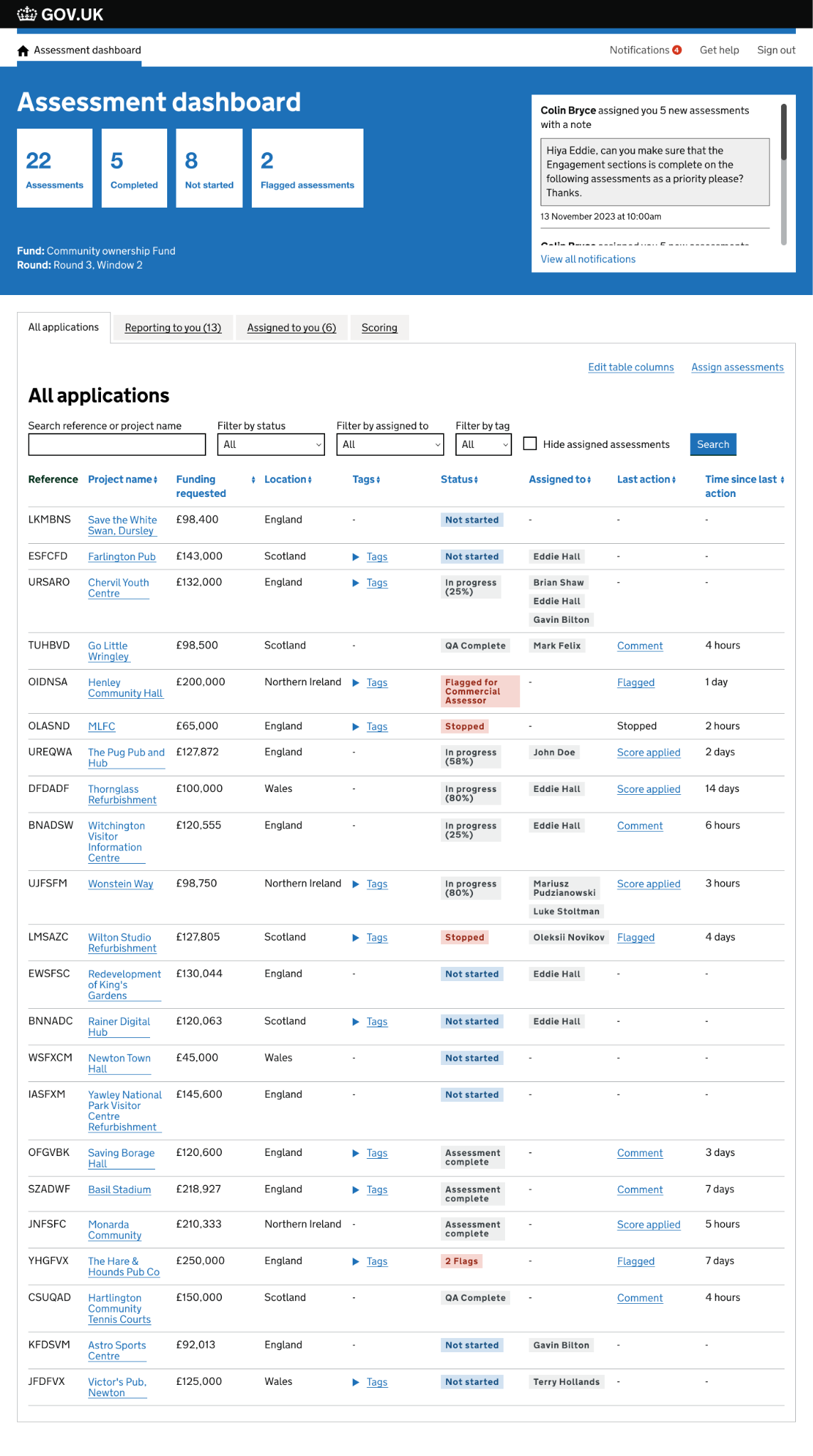
I designed a tabbed feature that would allow assessors to toggle between different views in the tool, showing them exactly what they needed to see throughout the assessment stage. Tabs would allow a lead assessor to see what they were responsible for as a team lead and what assessments were assigned to them. Additional filters and search functions were added to allow an assessor flexibility and control over what they needed to see. A new checkbox filter function was also added allowing an assessor to see assessments that were unassigned in the tool.
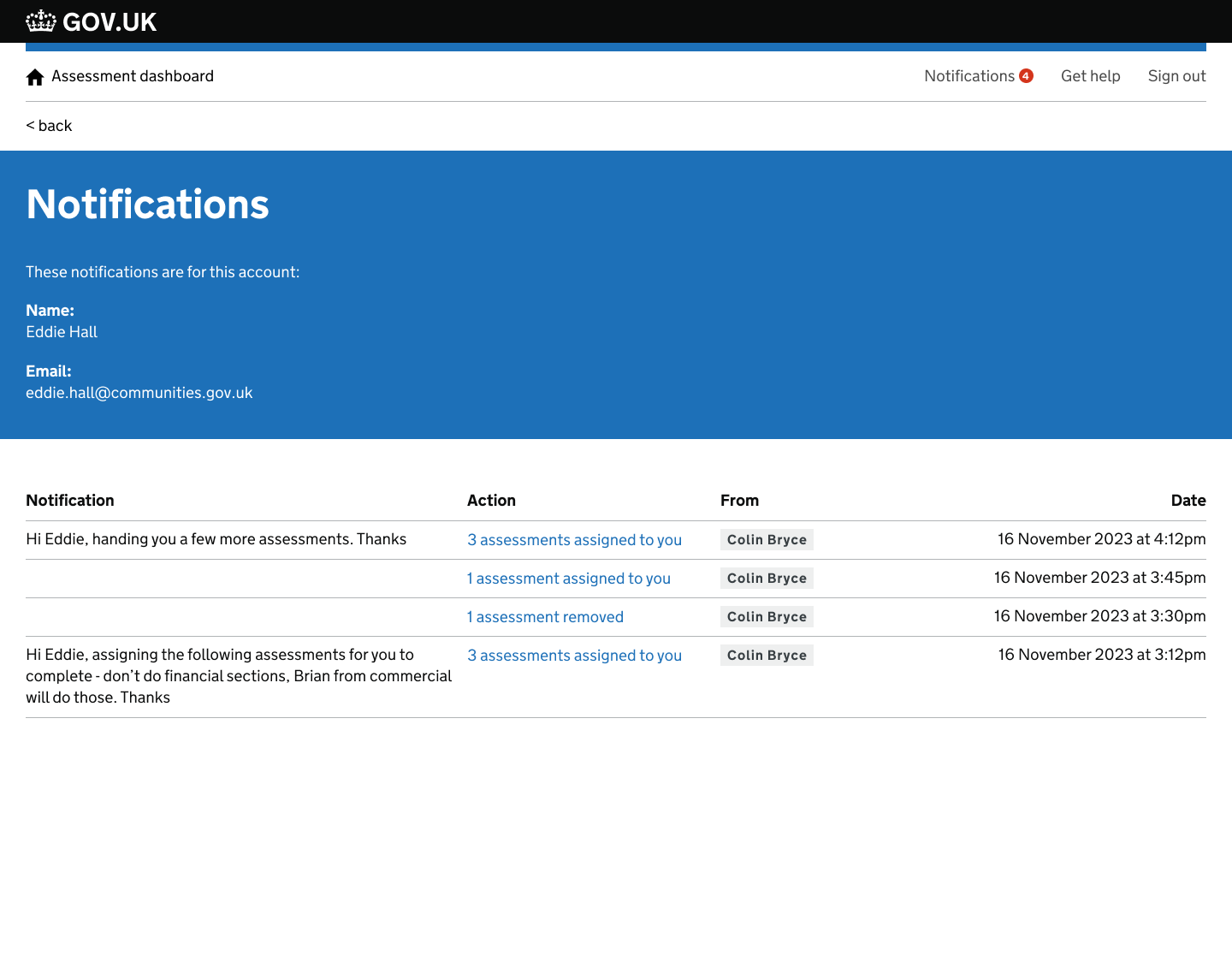
Notifications were added to the tool, allowing for notifications to be sent to an assessors email as well in tool notifications. This helped to create a source of truth in the tool and allowed assessors to easily see when new work had been assigned and what they needed to do. A simple table format was used in it's early stage to display data so that new types of notifications could be added to the tool in the future without breaking the user experience of this function.
I also designed a feature allowing assessors to be able to assign work within the tool. A bulk allocation function was added allow an assessor to be able to select multiple assessments for assignment. Messages were added to assignments that would allow an assessor to provide additional instructions about the assignment of work. These optional messages would appear in notifications sent to the assessor.

As well as being able to assign assessments to assessors, you would also be allowed to mark an assignment as complete or flag to another assessor if the assessment could not progress further. This made, along with other new design features made the tool a source of truth and helped to take assessors away from managing workload in additional tools outside of the assessment tool. With these designs I was conscious that not all of the assessors communications needed to happen in tool, so I refined it to the most important communication needed in the assessment life cycle.


Back to work
